What’s better, broadband or fiber?
TL;DR: Fiber is usually the best choice because it tends to have faster upload speeds, lower lag (latency), and more consistent performance than cable/DSL “broadband.” Also, fiber is a type of broadband, so the real comparison is fiber vs cable/DSL/fixed wireless. If you work from home, game online, video call a lot, or upload big files, pick fiber when available. If fiber isn’t available (or cable is cheaper and reliable in your area), standard broadband can still be fine—just make sure your Wi-Fi/router setup isn’t the real bottleneck.
What’s better, broadband or fiber?
Fiber is usually the better internet connection because it’s often faster, has better upload speeds, and feels more stable (especially for video calls and gaming). But here’s the surprise: fiber is also a type of broadband. So the real comparison most people mean is fiber vs cable / DSL / fixed wireless broadband. (Federal Communications Commission)
What is meant by broadband internet?
Broadband is a big umbrella word for “high-speed internet.” It can be delivered in different ways, like:
- Fiber
- Cable
- DSL
- Fixed wireless
- Satellite
So asking “broadband or fiber?” is kind of like asking “fruit or apples?” Apples are fruit, and fiber is broadband.
What’s the difference between broadband and fiber?
Think of it like roads:
- Broadband = “Any road that gets you to the internet.”
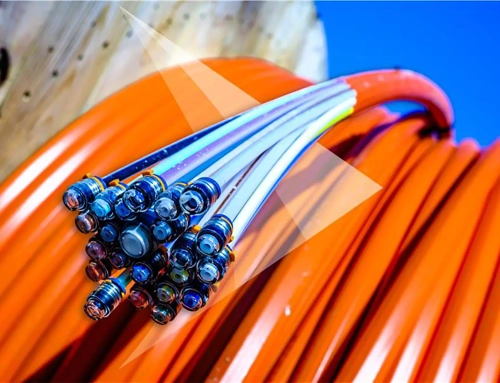
- Fiber = “A newer super-highway made of glass strands that carries data as light.”
Other broadband types (like cable or DSL) use older-style wiring (coax or phone lines), which can be more “shared” or more affected by distance and neighborhood congestion.
Why is fiber usually better?
1) Faster uploads (great for work-from-home)
Many fiber plans are symmetrical, meaning uploads can be close to downloads. That matters if you:
- do Zoom/Teams calls
- send big files
- back up photos to the cloud
- livestream
Cable can be fast for downloads, but uploads are often much smaller.
2) Lower lag (latency)
Latency is the tiny delay between your device and the internet. Lower latency helps:
- online gaming
- video calls
- remote work (VPNs)
- fast-feeling web browsing
3) More consistent speeds
Fiber tends to stay steadier during busy hours, while some cable networks can slow down when lots of neighbors are online at once (this varies by area, but it’s a common experience people ask about).
When “regular broadband” is good enough
Fiber is great, but you might be totally happy with cable or fixed wireless broadband if:
- Fiber isn’t available on your street.
- You mainly stream TV, scroll, and do light video calls.
- Your cable service is reliable in your neighborhood and priced well.
- Your Wi-Fi is actually the weak link (not your internet plan).
A lot of people upgrade plans and still feel “meh” because the real problem is Wi-Fi coverage inside the home (walls, distance, old router, bad placement).
Is it worth switching from broadband to fiber if the download speed is the same?
Often yes, because the win is not only download speed. People switch for:
- better upload speeds
- lower latency
- improved reliability/uptime
Example: If you have 1 Gbps cable and 1 Gbps fiber, fiber may still feel better for video calls and gaming because of latency + uploads.
But the honest truth: your local network quality matters most. In some places, cable is rock solid. In others, it’s the opposite. (Neighborhood-by-neighborhood differences are real.)
Could that be simply due to fiber vs cable?
Sometimes, yes. People notice higher ping (like 20–40 ms on fiber vs 60–80 ms on cable) and wonder if it’s the connection type. It can be related, but it can also be:
- different routing to the game server
- different local network load
- Wi-Fi vs Ethernet differences
- modem/router issues
Tip: If you care about gaming or calls, test on Ethernet before judging. Wi-Fi can add lag all by itself.
Does Fiber Internet Need a Modem?
Usually, no traditional cable modem is needed for fiber.
Fiber uses a device called an ONT (Optical Network Terminal) that converts the fiber signal into Ethernet, which your router can use. Many providers install the ONT for you, and then you plug your router into it.
See:Do I need a modem for fiber, or just a router?
Do I need a new router for fiber internet?
Not always, but maybe.
You generally need a router that can:
- handle your plan speed (especially gig speeds)
- support modern Wi-Fi (Wi-Fi 6 / 6E / 7 helps in busy homes)
- have the right Ethernet ports (some older gear tops out around ~1 Gbps wired)
If your provider gives you a “gateway” (ONT + router in one), you might not need to buy anything at first.
Do I need to cancel my cable internet before installing fiber?
A practical approach is: don’t cancel yet. Keep your old service until fiber is installed and tested, then cancel after you know everything works.
This helps you avoid being stuck with no internet if there’s a scheduling delay.
Quick decision checklist: fiber vs other broadband
Choose fiber if you:
- work from home a lot
- do video calls daily
- game online competitively
- upload big files
- want the most “future-proof” option
Choose cable/other broadband if you:
- can’t get fiber where you live
- mainly stream and browse
- get a great price and it’s stable in your area
And no matter what you choose, remember:
- Bad Wi-Fi can make amazing internet feel terrible.
- A well-placed router (or mesh system) can be a bigger upgrade than paying for extra Mbps.
If you tell me what options you have available (fiber? cable? DSL? fixed wireless?) and what you do online (gaming, WFH, streaming, etc.), I’ll help you pick the best fit.
FAQ 1
Q: Do I need both broadband and Wi-Fi?
A: No. Broadband is your internet connection coming into the home. Wi-Fi is how your devices connect to your router inside the home. You usually have broadband plus Wi-Fi, but they are not the same thing.
Q: Is broadband internet and Wi-Fi the same thing?
A: No. Broadband is the service from your internet provider. Wi-Fi is the wireless signal from your router that shares that service with phones, laptops, and TVs.
Q: Is it worth switching from broadband to fiber if the download speed is the same?
A: Often yes. Fiber usually has better upload speeds, lower latency, and steadier performance, which helps video calls, gaming, and sending large files.
Q: Does fiber internet need a modem?
A: Usually not a traditional cable modem. Fiber uses an ONT (Optical Network Terminal) that converts the fiber signal into Ethernet for your router.
Q: Do I need a new router for fiber internet?
A: Not always. But for faster plans, a modern router (Wi-Fi 6/6E/7) and gigabit-capable ports can improve speed and coverage.
Q: What’s the most reliable type of internet?
A: Fiber is often the most reliable because it tends to deliver consistent speeds and low latency, especially during busy hours. Reliability still depends on the provider and your local network setup.
Q: Do I need to cancel my cable internet before installing fiber?
A: It’s usually smarter not to cancel until fiber is installed and working. Then you can cancel the old service after you confirm everything runs well.